
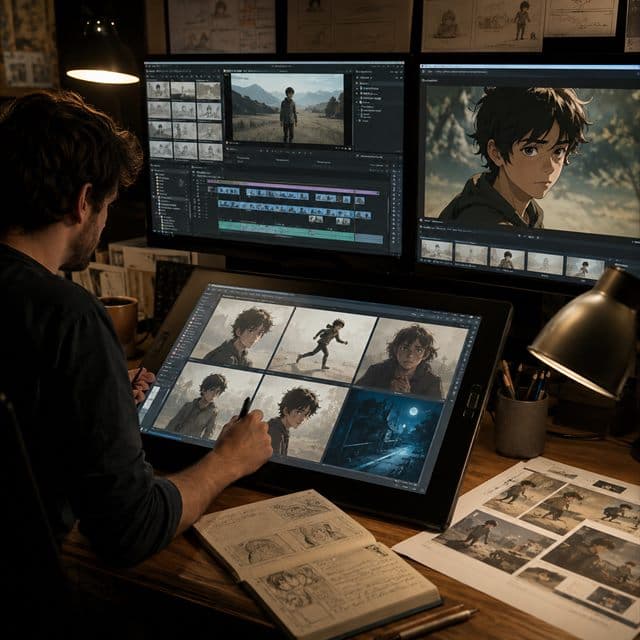
AI video makes character consistency harder, not easier. A still image can hide small identity errors. A video sequence exposes them immediately. The face shifts between frames, the hair flickers, the jacket changes shape, or the character looks older by the end of the shot.
If you want the same AI character across multiple video scenes, you need to prepare the identity before you ask for motion.
Build Stable Stills First
Do not begin with a long video prompt. Start with still images. Generate the character in a neutral pose, then create front, side, back, close-up, and expression references. These images become the visual contract for the video workflow.
The stronger your still references are, the less the video model has to guess. A single portrait is rarely enough for walking shots, profile shots, group scenes, or close-ups with changing lighting.
Use the consistent AI character video workflow to prepare keyframes before you move into motion.
If the scene contains a recurring cast, prepare each identity separately and follow the multi-character consistency workflow before generating a shared keyframe.
Separate Identity From Camera Direction
Video prompts often fail because they try to do everything at once. The prompt describes the character, the motion, the camera, the environment, the lighting, and the mood. When too many instructions compete, identity is usually the first thing to drift.
Instead, split the job:
- Character profile: face, outfit, body, colors
- Scene prompt: location, lighting, mood
- Motion prompt: action, camera movement, timing
- Review pass: continuity across frames
This keeps the character identity protected while the scene changes around it.
Use Keyframes as Anchors
For longer scenes, create clean keyframes first. A keyframe should show the character clearly at the start, middle, or end of the action. Avoid keyframes where the face is hidden, the hands are distorted, or the outfit is unclear.
Once the keyframes are approved, use them as anchors for video generation. This is especially useful for storyboards, ads, music videos, explainers, and animated comic panels.
Check Continuity Before Publishing
After generating a clip, review it like an editor. Pause on the first frame, middle frame, and final frame. Compare the eyes, jawline, hair shape, outfit color, height, and signature accessories. If the character changes too much, fix the source stills before regenerating.
AI video works best when motion comes after identity. Create your reusable character profile first, then let the video scene move around a stable actor.